Release Notes 25.04.13
-
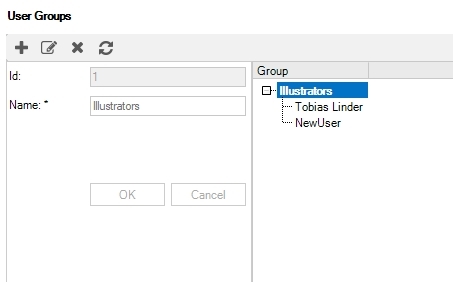
User Groups: You can now organize users into groups.
-
System administrators can create groups and assign users to them.
-
Tasks can be assigned to user groups directly when creating new tasks, or through the Properties panel, or the Project Task board.
-
Any tasks assigned to a group you're a member of will appear in the Assigned To My Groups tab.
-
-
Find Assigned IEs: Right-click on a task and select Find Assigned IEs to quickly bring all assigned IEs to the IE list as a search result.
 note
noteIf the task has been completed, the search results will display the version of the IE that was active at the time of completion.
-
New Adobe Illustrator Plugin
-
Easy Installation: The plugin now comes as an installer program, simplifying the installation.
-
Independent Updates: The Illustrator plugin can be updated independently of CCMS releases, making it easier to ensure compatibility with new Illustrator versions.
-
The plugin is no longer implementation and environment specific, to simplify for users working in multiple implementations. This reduces the number of plugins from 252 to 2 (the 2 latest major versions).
The plugin is now located under File/Scripts/ToKentucky in Adobe Illustrator, instead of: File/Scripts/Kentucky [ENVIRONMENT]/Kentucky_[IMPLEMENTATION]/tokentucky.
noteThe current implementation specific plugins will be still be installed together with the CCMS installation during a transition period.
The plugin can be downloaded here: https://kentucky.aleidogroup.com/downloads
-
-
Microsoft Word Stylesheets
-
Stylesheets can now be created to publish topics and publications as Microsoft Word documents.
noteStandard XML elements are supported. For implementation-specific elements or custom styling, please submit a request as usual.
-
-
Check out with VSCode: XML documents can now be checked out to Visual Studio Code, if it is installed on your computer.
-
Inline configurations:
-
Implemented better tracking of inline configurations.
-
Configurations that are used inline cannot be deleted.
-
Removed any non-existing inline configurations from the content.
-
Internal Editor: The internal editor no longer adds a valid-for attribute to elements configured as [All].
-
-
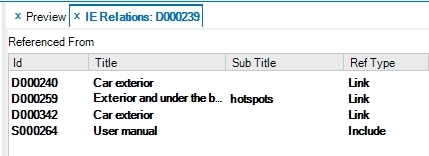
Sub Title is now displayed in IE Relations.
-
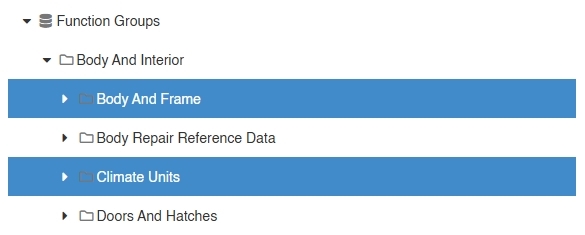
Image Browser: You can now select multiple folders to include images from any of the chosen folders in the search result.
-
When a new task is created, the due date is set to 7 days from the current date. Previously it was set to the current date.
-
Task Board: Automatic session time renewal has been added to prevent timeouts after periods of inactivity.
-
Sparepart Editor: The annotation font now scales correctly when resizing hotspots.
-
Review List: A fix has been implemented to ensure connected IEs update correctly when checking in or out.
-
Fixed a bug where generating raster graphics from SVG files could cause the graphics server to become unresponsive.